Browse the strategy catalog
Purpose
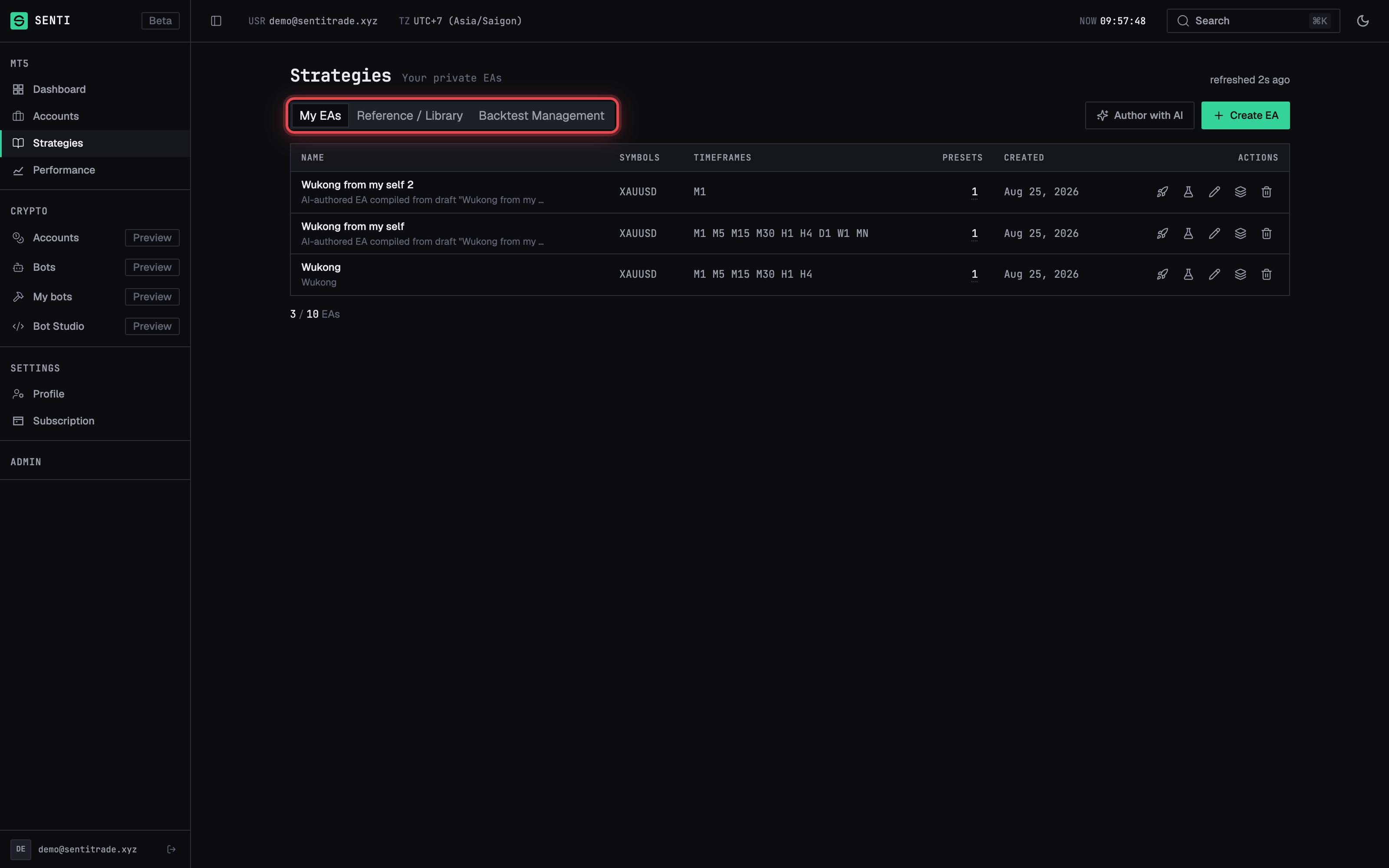
The Strategies page is where you find something to run. It has three tabs:
- My EAs — the private Expert Advisors you created or uploaded yourself (covered in Create and manage your EAs).
- Reference / Library — the catalog of platform strategies, each published as an article with documentation, ratings, and a deploy action.
- Backtests — your backtest run history (covered in Run a backtest).
This page covers the library: browsing the catalog, reading a strategy article, and leaving a review.
Prerequisites
- A Senti account. Browsing the catalog and reading strategy articles works while logged out — a published article page is public — but deploying, reviewing, and seeing your own EAs require you to be signed in.
- To go from a strategy to a live deployment you additionally need a linked MT5 account with MASTER access — see Link an MT5 account.
Step-by-step
Browse and filter the library
-
Open Strategies. Click Strategies in the sidebar. The page header shows the tab strip — My EAs, Reference / Library, Backtests — with a count of listed strategies and a Refresh button (the header also shows refreshed Ns ago so you know how old the list is).
-
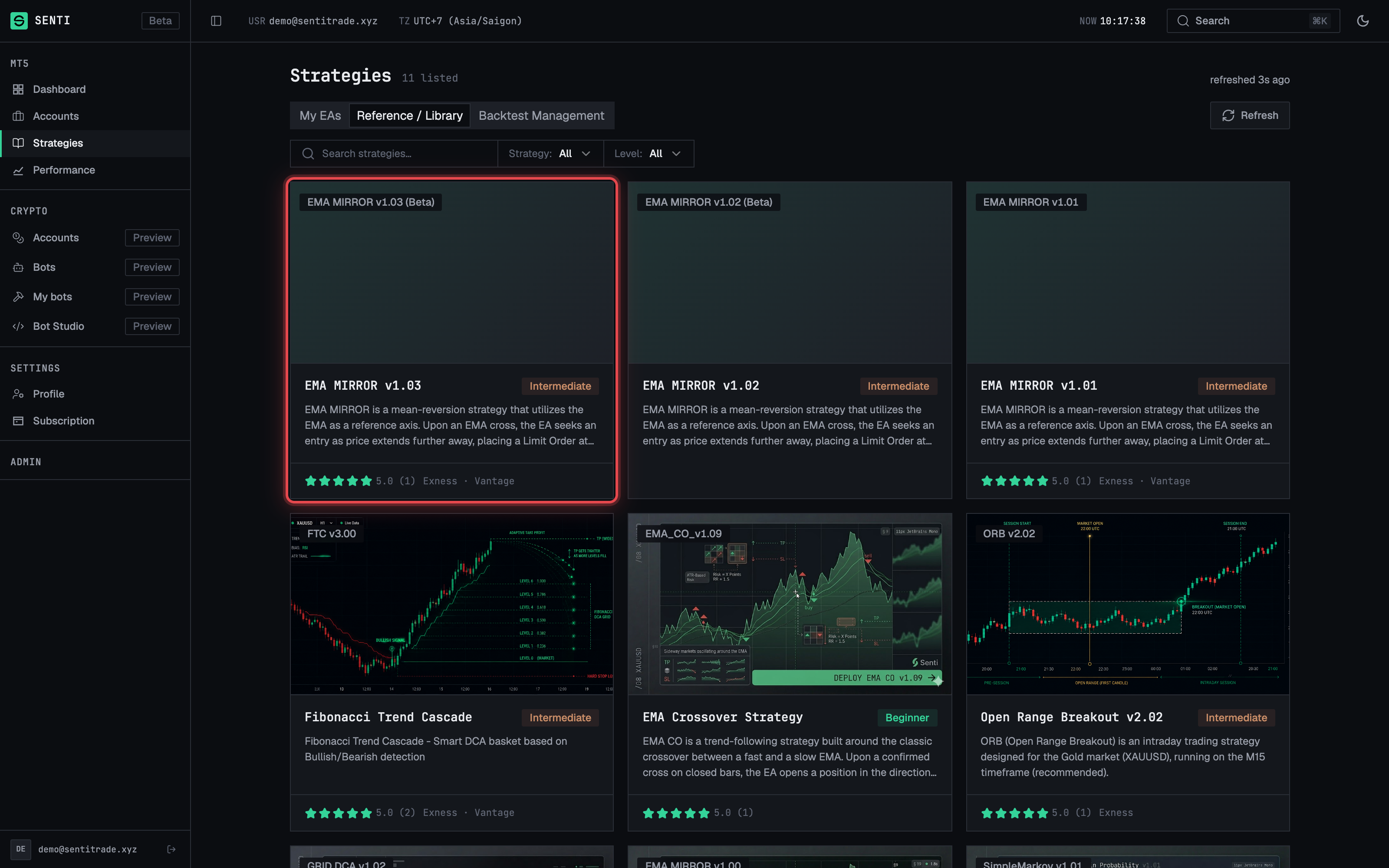
Search or filter. Type into Search strategies… to filter by name. Open Filters to narrow by Strategy (the strategy family) and Level — Beginner, Intermediate, or Advanced. If nothing matches you’ll see “No strategies match your filters — adjust the search or filter criteria.”
-
Read a catalog card. Each entry shows the EA / Version, its supported Symbols · Timeframes, the number of Sets (presets), and a star rating with a review count. The whole card is a link — clicking anywhere on it opens the full strategy article, where you deploy via Activate EA.
- Note the toolbar actions. The toolbar also carries Create EA (upload
your own
.ex5), Author with AI (opens MQL5 Studio), and New backtest. If you are at your plan’s private-EA limit, Create EA is disabled with the tooltip “You have reached the limit of {max} EAs”.
Read a strategy article
-
Open the article. Click a catalog card (or follow a shared
/strategies/<slug>link). The article page shows a cover image, the markdown write-up, and a breadcrumb back to Strategies. -
Check the sidebar facts. The sidebar summarizes the strategy at a glance: Strategy, Timeframes, Recommended capital, Recommended brokers, Account types, Difficulty, Tags, the publish date, and Written by the author.
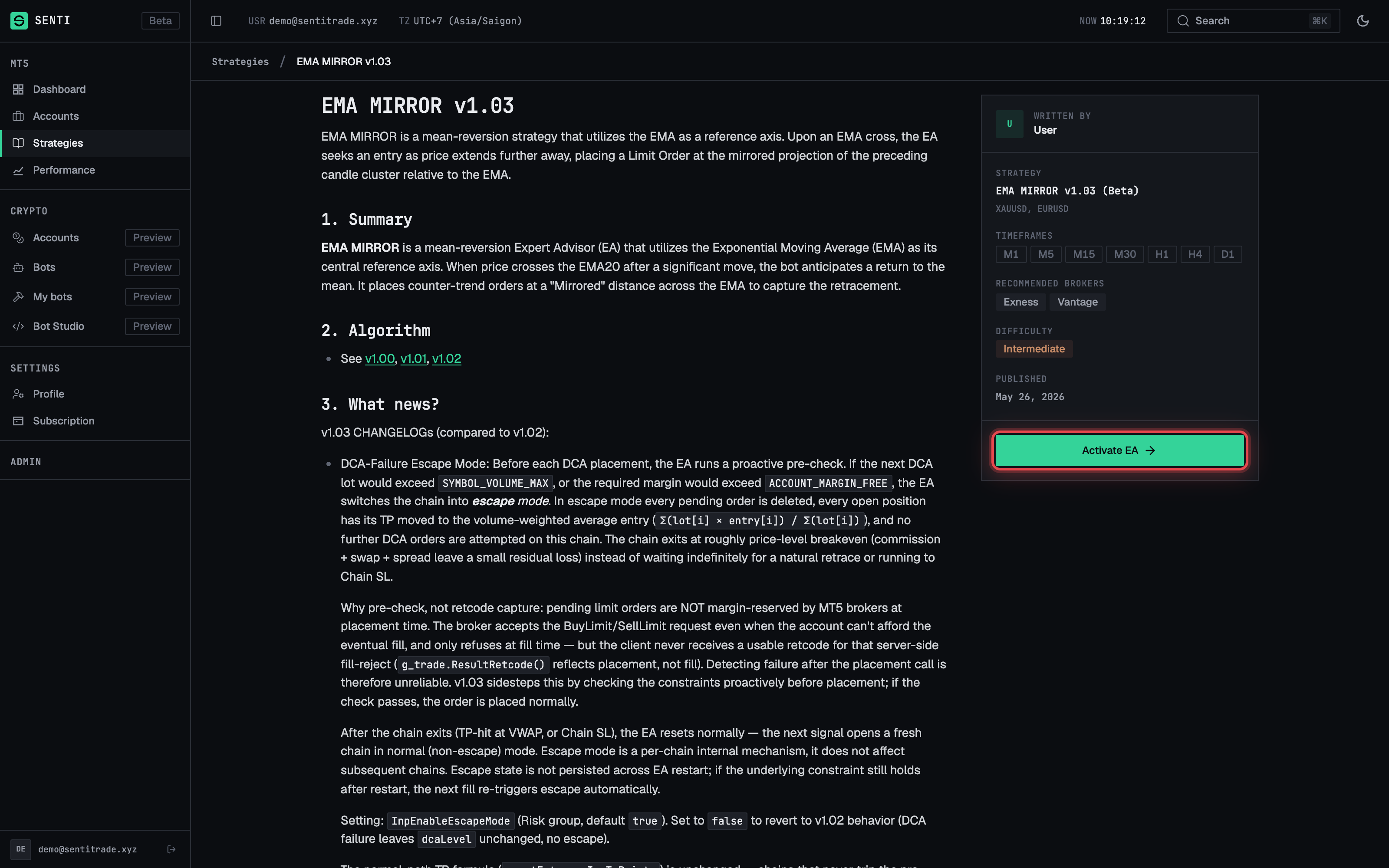
- Deploy from the article. Press Activate EA in the sidebar to open the deploy dialog for this strategy’s EA — the same two-step wizard described in Deploy an EA. If the EA behind the article is not currently deployable, the sidebar shows “EA currently unavailable” instead.
Write, edit, or delete a review
-
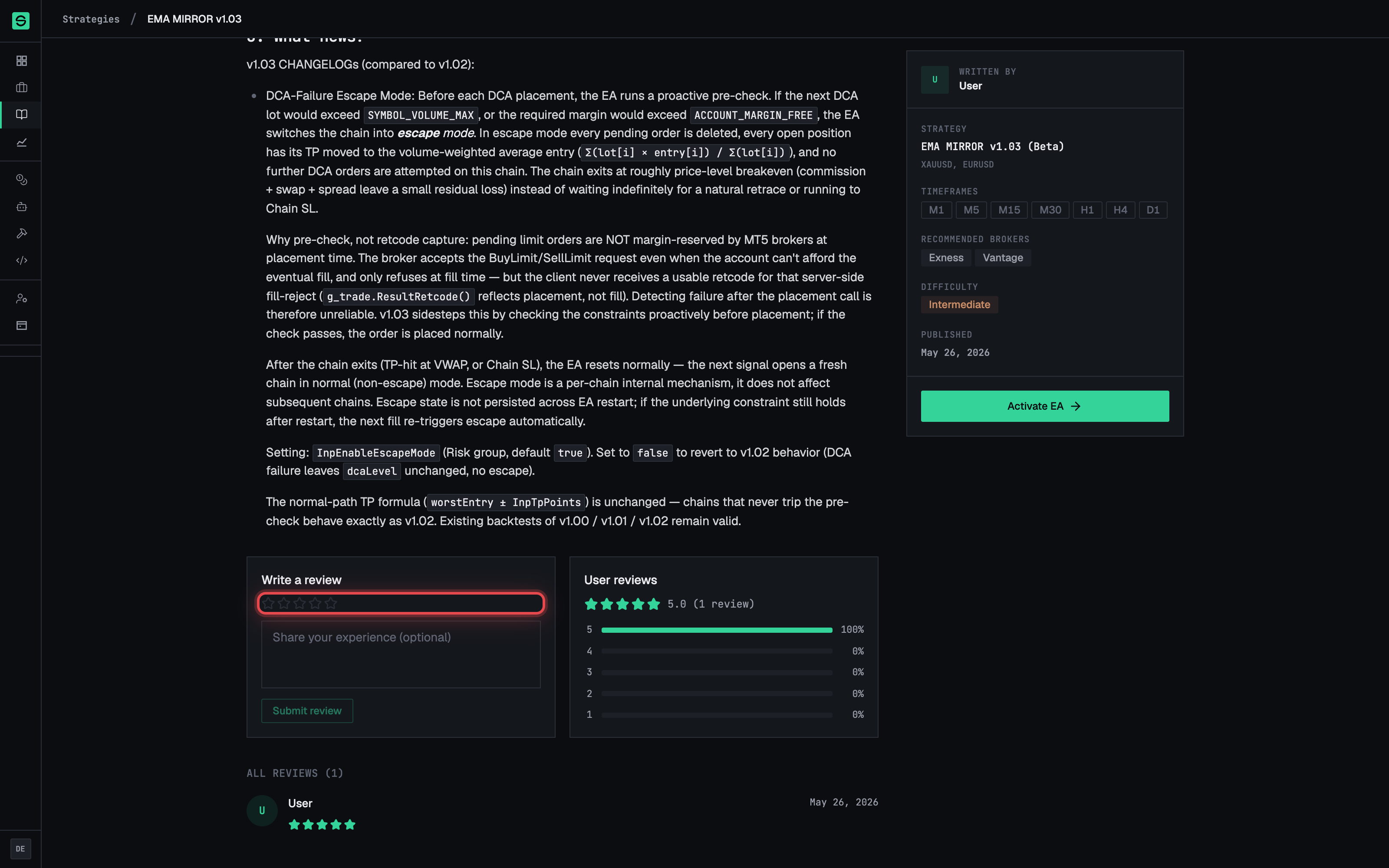
Scroll to User reviews. Every article ends with its review section: the average star rating, a review count, and the list of reviews. A new strategy shows “No reviews yet. Be the first to share your experience!”
-
Sign in if prompted. Logged-out visitors see “Log in to write a review.” — reviews are tied to your account.
-
Write your review. The review form sits inline under the article — pick a star rating (Your rating: — a rating is required; text is optional, with the placeholder “Share your experience (optional)”), then press Submit review.
- Edit or remove it later. Return to the article and press Edit your review to change the rating or text (Update review), or Delete my review to remove it.
Warnings & constraints
⚠️ Recommendations are the author’s, not guarantees. Recommended capital, recommended brokers, and account types in the sidebar are set by the strategy’s author as guidance. They are not a promise of performance — always backtest before deploying live capital.
Note. A rating is mandatory to submit a review (1–5 stars); the text is optional. Each account holds one review per strategy — writing again edits your existing review.
Note. The catalog tab shows only published strategies. A link to an unpublished or deleted article shows “Article not found — the strategy you’re looking for doesn’t exist or isn’t published.”
- Difficulty (Beginner / Intermediate / Advanced) is an authoring label, not a risk score.
- The Crypto section of the app is a separate Preview area and is not part of the MT5 strategy catalog.
Common errors
| Symptom | Cause | Fix |
|---|---|---|
| No strategies match your filters | Search text and filters exclude everything | Clear the search box and reset the Strategy / Level filters |
| No strategies found — check back soon for new trading strategies | The library has no published entries visible to you | Nothing to fix on your side — check back later, or switch to My EAs |
| Article not found on a strategy link | The article was unpublished or the slug is wrong | Return to Strategies and reopen it from the catalog |
| “Log in to write a review.” | You are browsing the public article while signed out | Sign in, then reload the article |
| Please select a star rating. | You pressed Submit review without choosing stars | Pick 1–5 stars first — the rating is required |
| “EA currently unavailable” on the article sidebar | The EA behind this article cannot be deployed right now | Pick another strategy, or check back later |